 CopyVideoText
How to extract text from a video
Text that appears inside a video is part of the picture, so you can't select it like normal text. Here's how to pull it out in one click, right in your browser, without uploading anything.
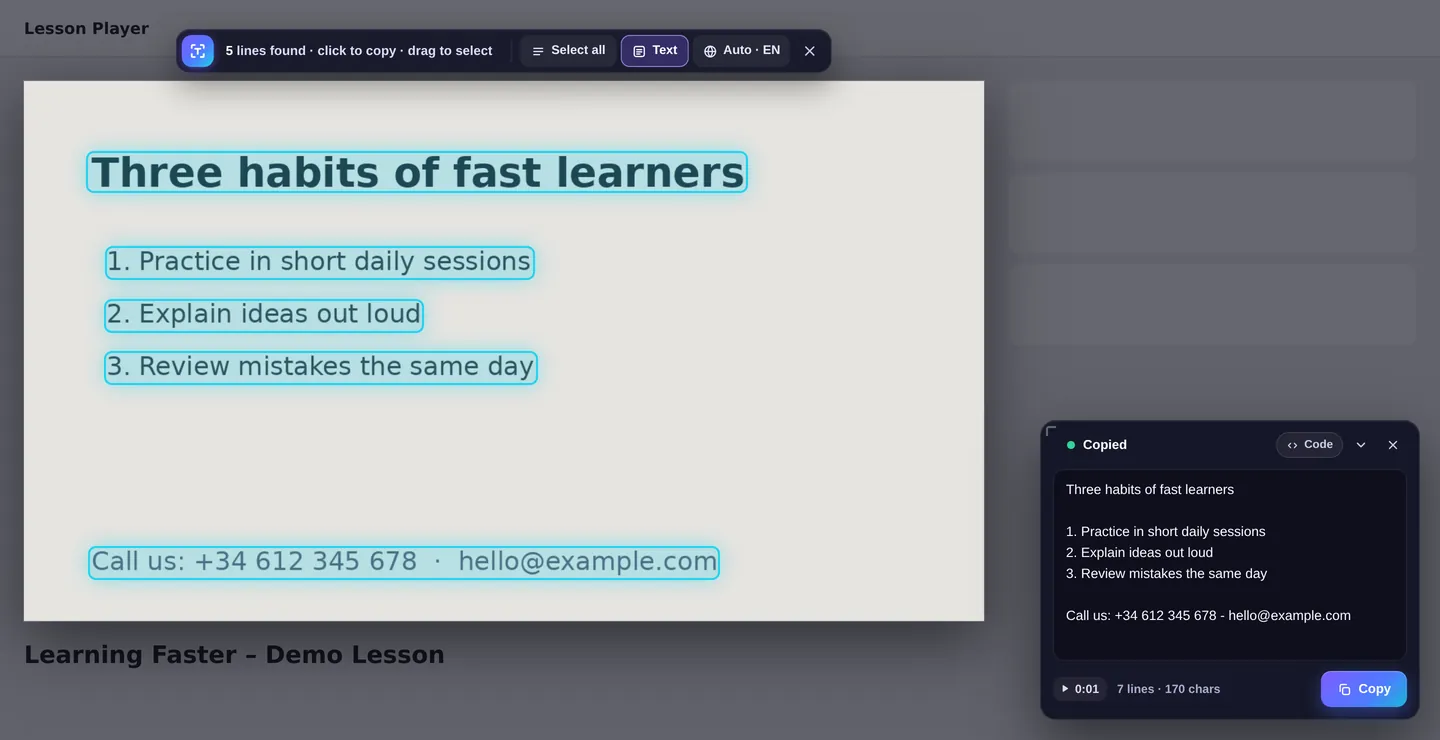
Extract text in three steps
- Add CopyVideoText to Chrome (free).
- Move your mouse over the video and press “Copy text”, or use Alt+Shift+C.
- The video pauses, every line of text is found and copied. Click a single line to keep only that one.
What kind of text can you extract?
- Presentation slides in lectures, webinars and conference talks
- Code in programming tutorials, with the formatting kept
- Subtitles and captions burned into the video, including outlined captions on reels
- Phone numbers, emails, websites and addresses shown in ads or interviews
- Names, titles, quotes and figures for research and notes
- Recipes, ingredient lists and instructions in how-to videos
How it works (and why it's private)
CopyVideoText takes a picture of the paused frame and uses text recognition (often called OCR) to find the words in it. This happens entirely on your computer: the picture and the text are never uploaded. It runs three quick passes: one for normal text, one tuned for subtitles, and one for small, faint text like dates and web addresses, then merges the results.
Get cleaner results
- Choose the highest video quality available.
- Pause on a frame where the text isn't moving or fading.
- Drag a box around a small area to read it again more closely.
- If the language isn't detected, pick it from the language button on the toolbar. It's remembered for that website.
Frequently asked questions
Is this the same as a transcript?
No. A transcript turns speech into text. CopyVideoText copies text that is visible on screen.
Do I need to upload my video?
No. It works on the video you're already watching in your browser, and nothing is uploaded.
Which languages work?
English and Arabic are built in. Chinese, Russian, Japanese, Korean, Hindi, Spanish, French and more download once when needed.
Does it work on protected streaming sites?
Services like Netflix, Disney+ and Prime Video block screen capture for every extension, so those videos can't be read.