 CopyVideoText
How to copy subtitles and captions from a video
Many videos, especially reels, shorts and clips, have subtitles burned right into the picture. You can't select them, but you can copy them in one click, in almost any language.
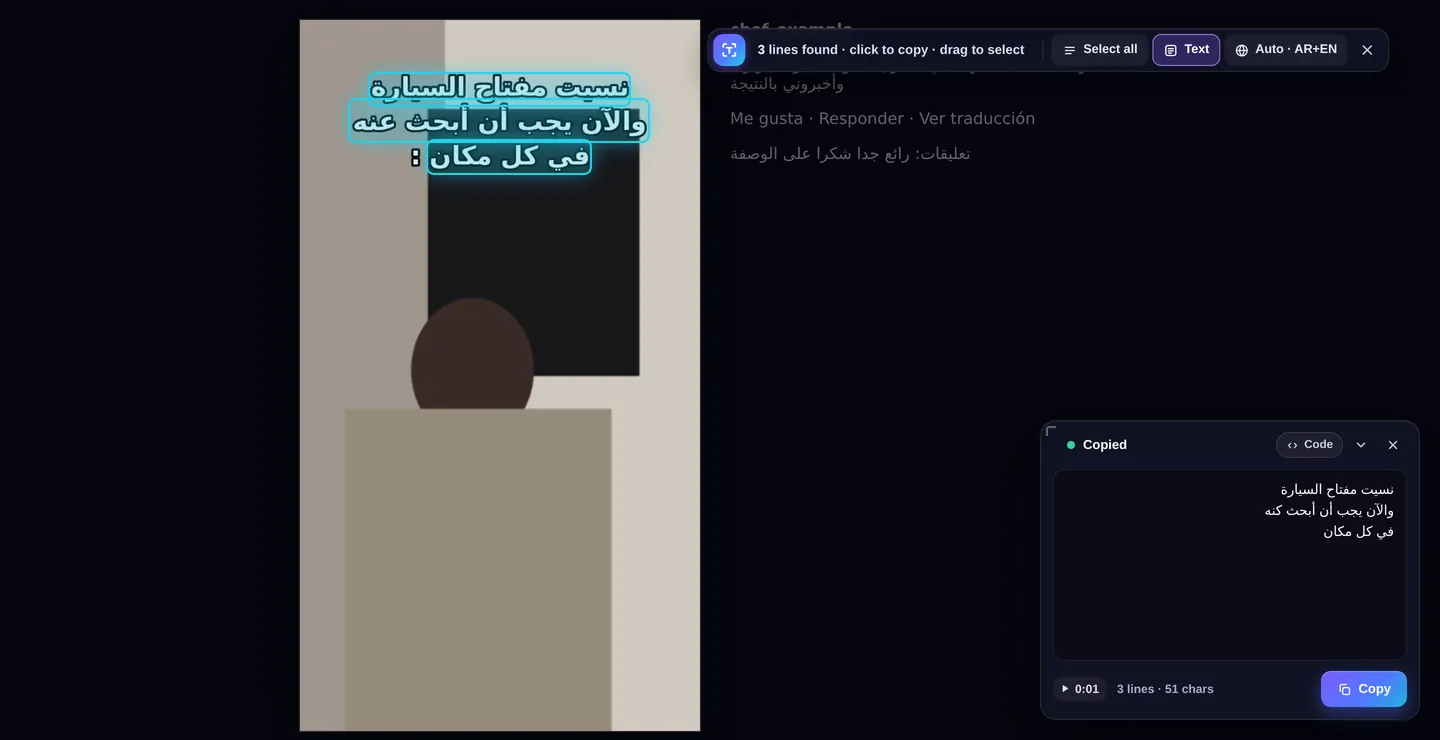
Copy the subtitles you see
- Install CopyVideoText from the Chrome Web Store (free).
- Pause on the subtitle you want, or press the button while the video plays.
- Press “Copy text” on the video, or Alt+Shift+C. The captions are found and copied.
- Paste them into a translator, your notes or a message.
Built for real-world captions
Social video captions are hard to read for a computer: white letters with a black outline, on top of a moving, busy background. CopyVideoText includes a dedicated subtitle pass that isolates the letters from the background, so outlined captions are read cleanly.
Any language, detected automatically
The extension looks at the page to choose the right language. Arabic and English are built in and work offline. Right-to-left text is copied in the correct reading order. Chinese, Russian, Japanese, Korean, Hindi and many more download once, the first time they're needed. You can also pick a language from the toolbar, and it's remembered for that website.
Great for language learners
- Copy a sentence and paste it into a translator or dictionary.
- Build a vocabulary list from shows and clips you like.
- Every copy is saved with the exact moment in the video, so you can replay the line later.
Frequently asked questions
Does it work with captions that aren't burned in?
It reads whatever text is visible in the video picture. For player captions (the CC button), turn them on so they show on screen, then press Copy text.
Can it copy Arabic subtitles?
Yes. Arabic is built in, detected automatically and copied in the correct right-to-left order.
Does it work on Instagram reels and shorts?
Yes. It works on vertical videos, and the toolbar moves beside the video so it doesn't cover the captions.
Is anything uploaded?
No. Everything is read on your own computer.